
vsuite
One validated definition of your AI agent team, generated for every coding assistant your people use.
vsuite is a desktop app and CLI that designs, generates, and maintains project-local AI agents, skills, and MCP tool wiring for OpenCode, Claude Code, and GitHub Copilot from a single vsuite.json.
Why vsuite exists
AI coding agents are only as good as the instructions, tools, and boundaries they are given. In most teams those live in hand-written prompt files that drift apart:
- Each assistant wants its own format. The same “code reviewer” is written three times for OpenCode, Claude Code, and GitHub Copilot, and the copies diverge.
- Nobody can see the team at a glance. Which agent may call which, which skills it loads, and which MCP servers it can reach are buried in frontmatter.
- Standards do not travel. A company’s review rules, security checklist, or architecture conventions get copied between repositories and go stale.
- There is no feedback loop. Teams cannot tell whether their agents finish jobs, how many tool calls they spend, or how often reviews send work back.
vsuite replaces those hand-maintained files with one validated configuration and a generator that renders it correctly for each target, enforces the agent call graph, and records what the agents actually do.
Key features
- One configuration, three assistants. A single
vsuite.jsongenerates agents, skills, and MCP configuration for OpenCode, Claude Code, and GitHub Copilot, each in its native format. - A visual workspace. The desktop app shows every project’s agents, skills, stack, models, and MCP servers, and generates with one click.
- An explicit agent graph. One coordinator delegates to specialists, and each target enforces who may call whom and which skills and tools each agent gets.
- Stack-aware agents. vsuite detects your frontend, backend, ORM, database, and design library, then adds matching convention skills and official MCP servers to the agents that own them.
- Enterprise packs. Organisations publish their own agents, skills, and instructions as versioned packs that are integrity-locked per project.
- Job metrics. Every agent logs its own jobs: outcome, tool calls, and review verdicts, so you can see how the team performs.
- Safe by design. Secrets stay in a git-ignored
.vsuite/.env, andvsuite.jsonholds only${VAR}references. Writes are atomic, and config files upgrade through versioned migrations.
A tour of the desktop app
Project overview
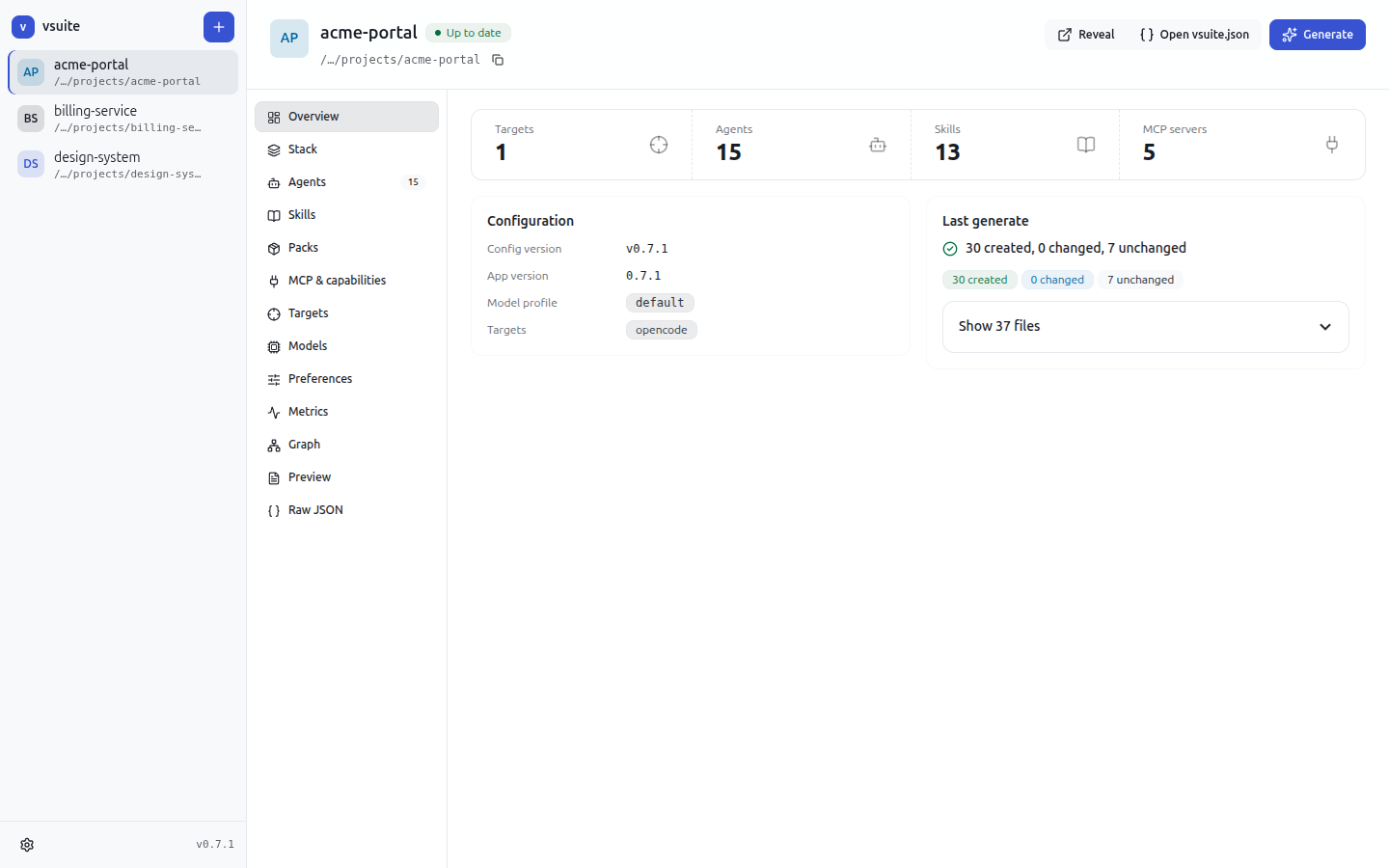
Each project opens on an overview: how many targets, agents, skills, and MCP servers it configures, and the result of the last generate run.
Technology stack
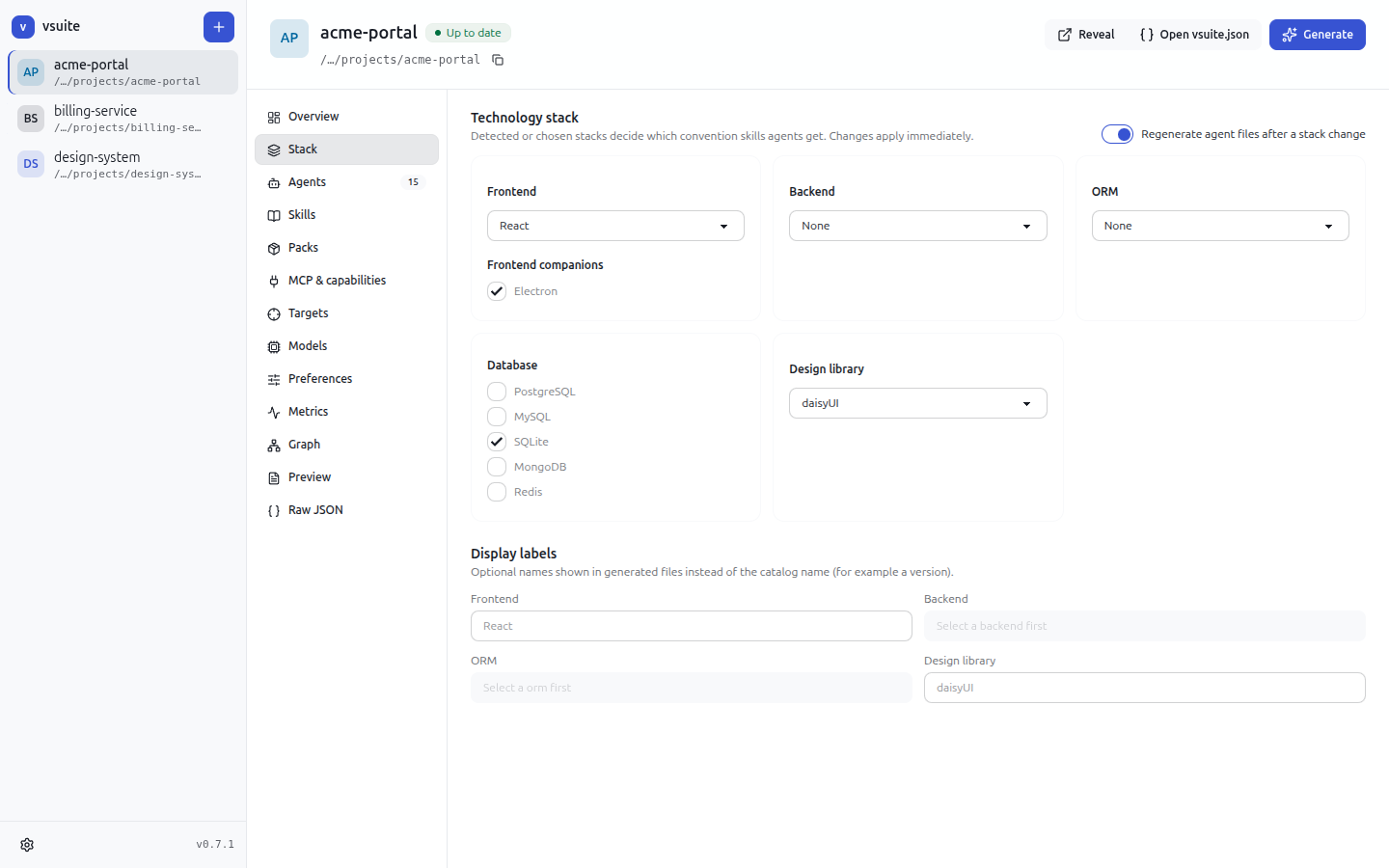
Pick the frontend, backend, ORM, databases, and design library. vsuite adds the matching convention skills and MCP servers to the agents that own each technology, and removes them when you change your mind.
Agent roster
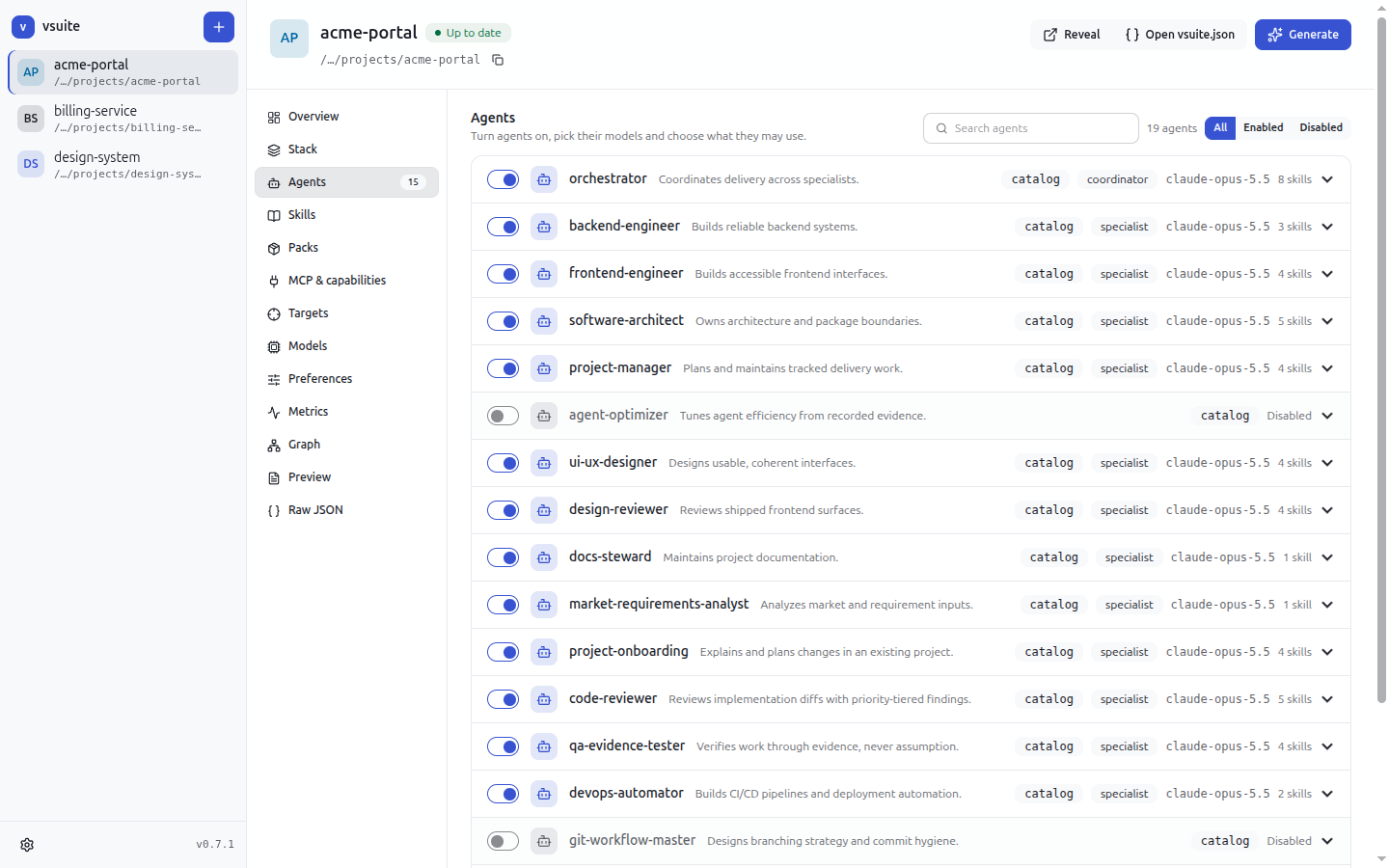
Turn agents on or off, and see at a glance where each one comes from (built-in catalog or a pack), whether it coordinates or specialises, which model it runs on, and which skills it loads.
Agent graph
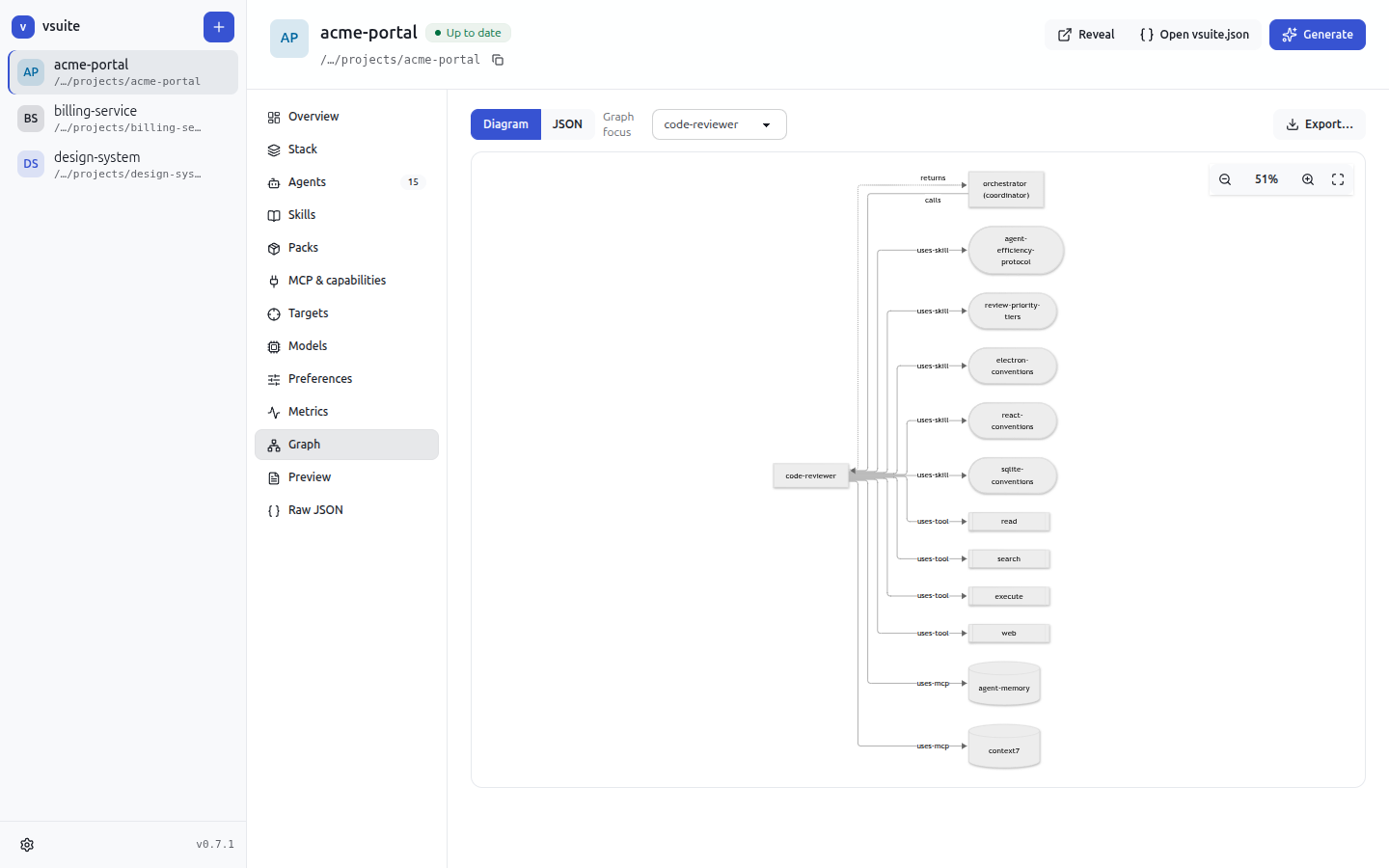
The call graph shows the coordinator and the specialists it may delegate to. Zoom in to inspect it, or export it for design reviews and documentation.
Enterprise packs
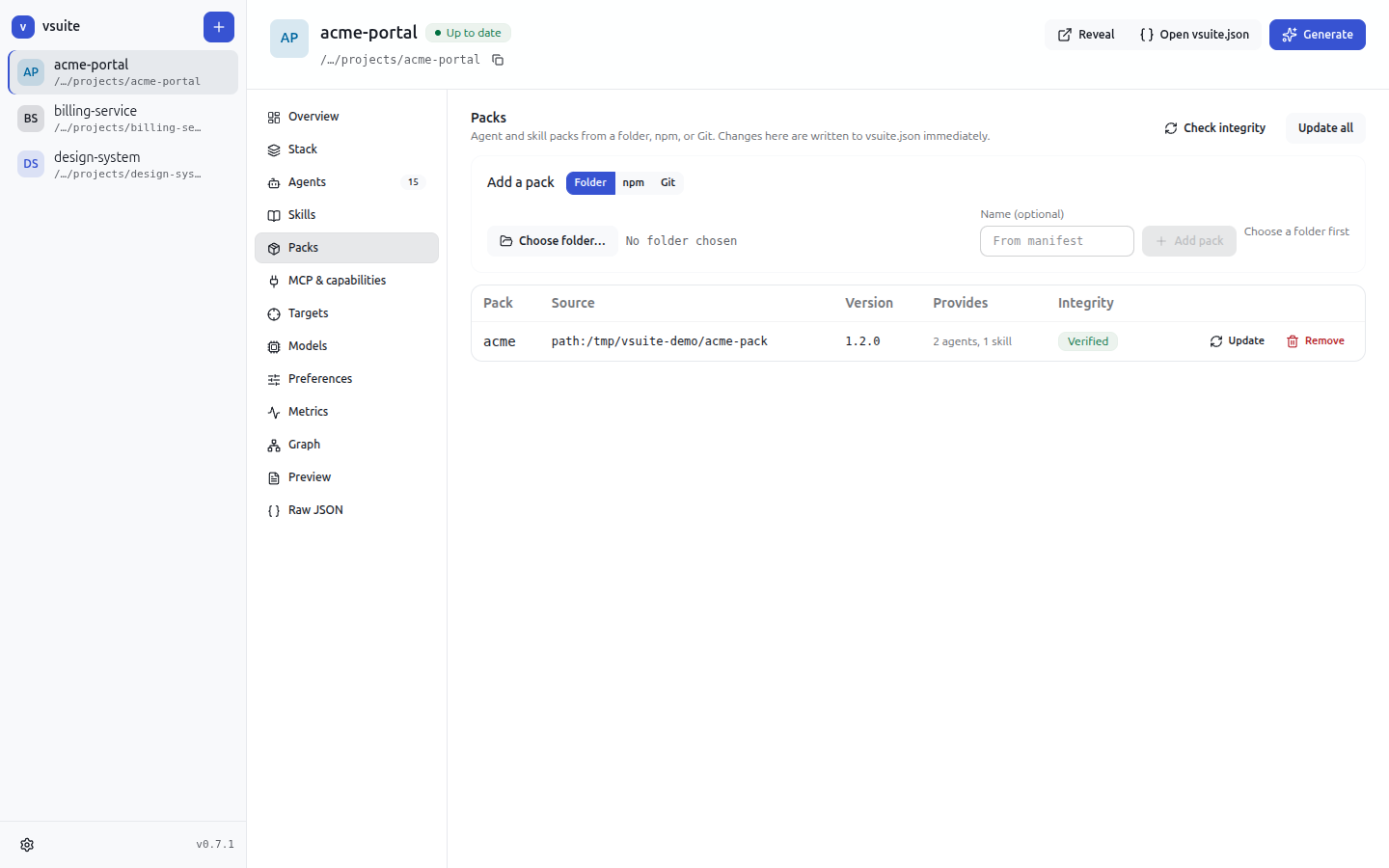
Add your organisation’s packs from a folder, npm, or git. vsuite shows each pack’s locked version and integrity status, and lets you update or remove it.
Job metrics
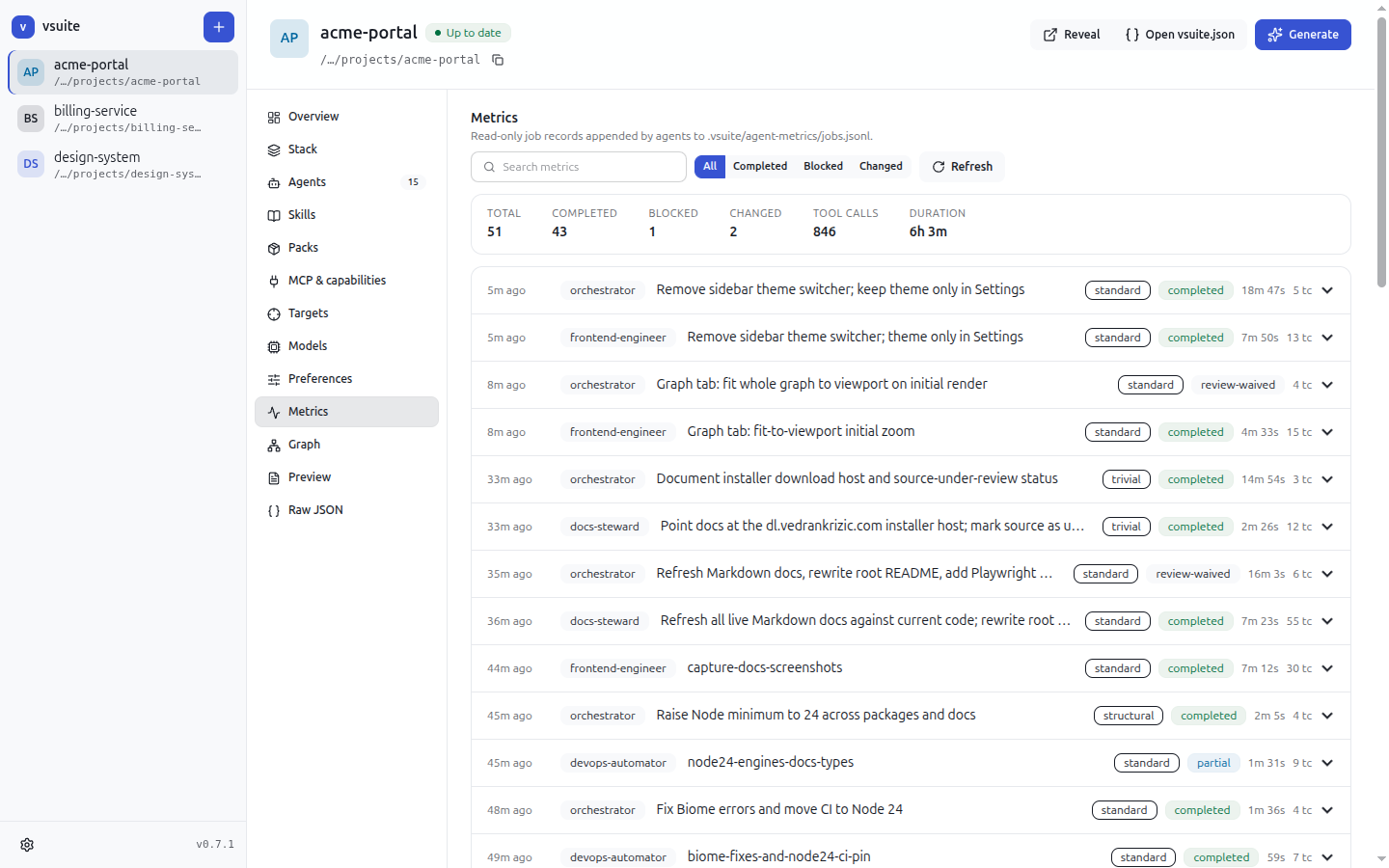
See how agent jobs end, how many tool calls they take, and how reviews rule, based on the job log the agents write themselves.
Per-target models
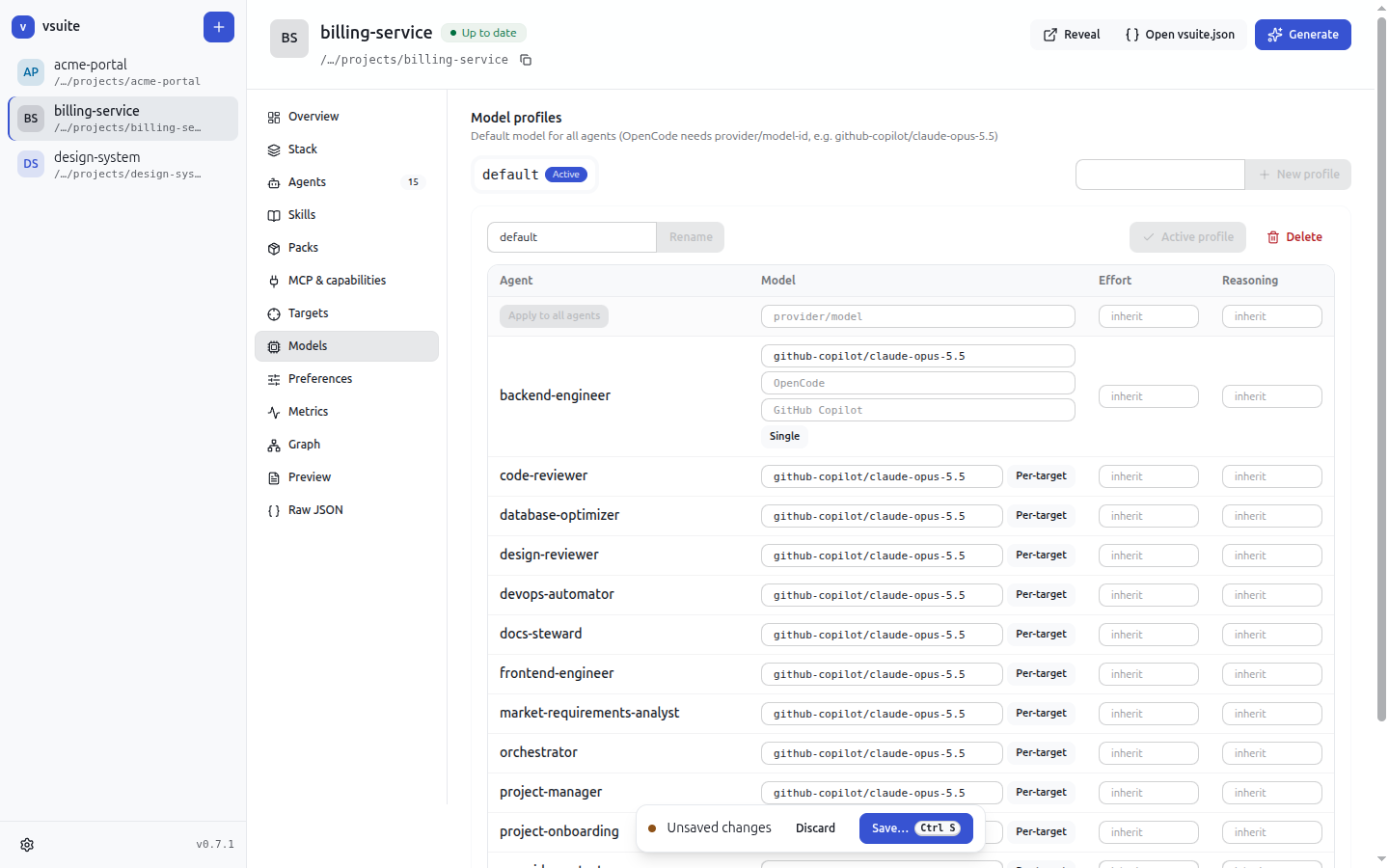
Each assistant names models differently. Set one model for every target, or a separate model per target, such as one for OpenCode and another for GitHub Copilot.
AI-assisted setup
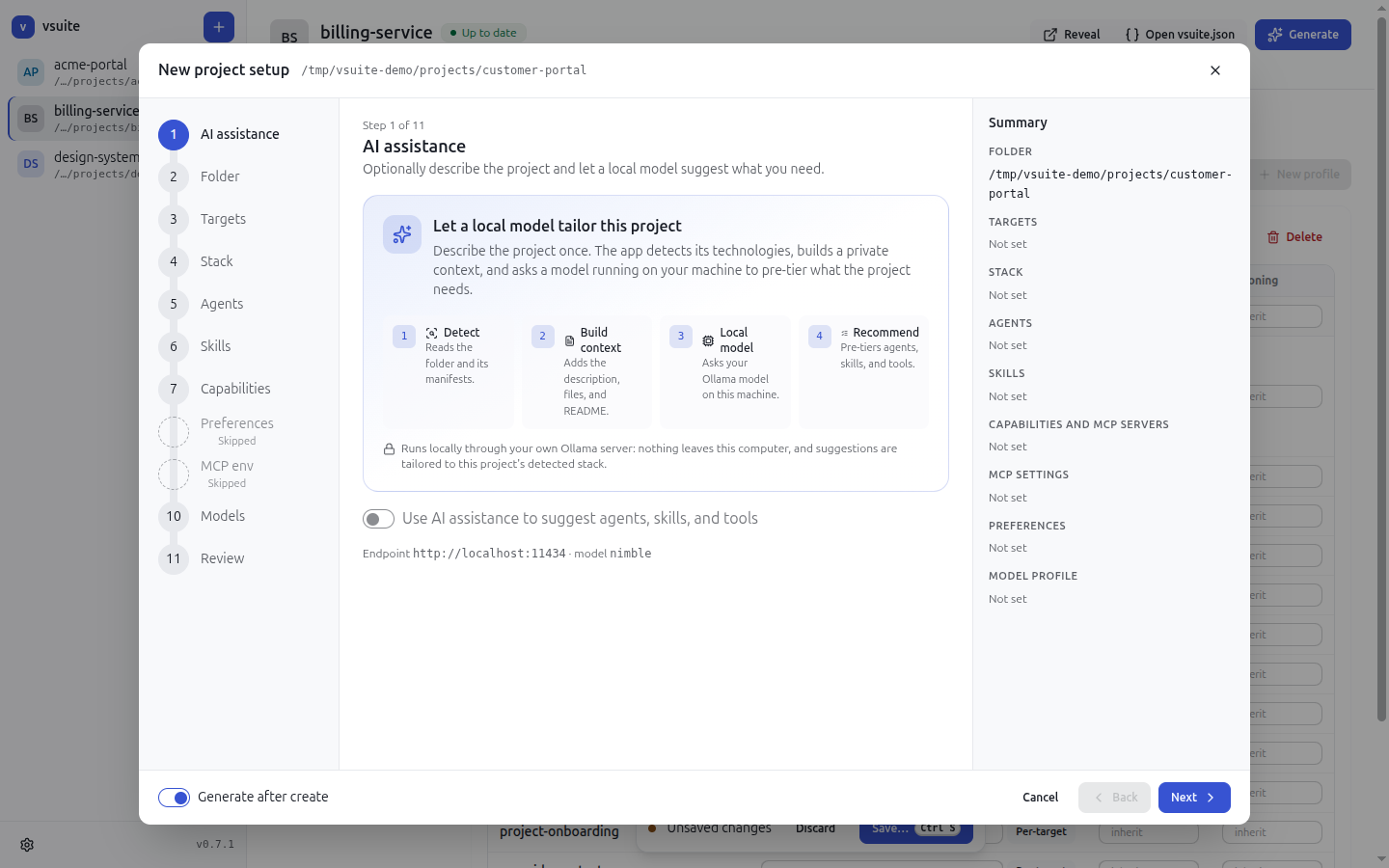
The new-project wizard walks through targets, stack, agents, skills, capabilities, preferences, MCP settings, and models. An optional first step asks an Ollama model, by default on your own machine, to suggest agents, skills, and tools for the project.
Why it matters for…
Software consultants
Start every client engagement with a proven agent team instead of a blank prompt folder. Encode your delivery method once in a pack, use it with whichever assistant the client has standardised on, and show the client the agent graph and job metrics as evidence of a controlled process.
CEOs and engineering leaders
AI-assisted delivery becomes visible and governable. Company standards ship as versioned, integrity-checked packs. Every repository uses the same reviewed agent definitions, and job metrics show how the agents perform. Teams keep their choice of assistant without fragmenting how they work.
Designers
UI/UX designer and design reviewer agents work from the project’s real frontend framework and design library, and browser-capable agents can check user-facing flows. Design standards become part of the agents’ instructions instead of tribal knowledge.
Developers
Stop hand-editing three sets of prompt files. Agents arrive with the right conventions for your stack, the right MCP servers (such as Context7, Playwright, and framework or database servers), and enforced boundaries. Everything is plain files in your repository, generated deterministically, reviewable in a pull request, and scriptable from the CLI.
Download
Official links for external sites. They always serve the newest release, with no version number in the URL:
| Platform | Permanent link |
|---|---|
| macOS | https://dl.vedrankrizic.com/vsuite/latest/vsuite-mac.dmg |
| Windows | https://dl.vedrankrizic.com/vsuite/latest/vsuite-win.exe |
| Linux | https://dl.vedrankrizic.com/vsuite/latest/vsuite-linux.AppImage |
Each link is a copy of that release’s preferred installer. If a release has no installer of that type for a platform, the link keeps the installer’s own extension instead, for example vsuite-mac.zip when only a macOS .zip was built. When a release is published without a macOS build, vsuite-mac.dmg keeps serving the previous macOS build.
For scripts and pages that need the version or the versioned file names, read latest/manifest.json. Its values are file names inside latest/:
{ "latestVersion": "0.7.3", "mac": "vsuite-0.7.3.dmg", "win": "vsuite Setup 0.7.3.exe", "lin": "vsuite-0.7.3.AppImage" }When the release has no macOS build, mac is "vsuite-mac.dmg" (an older build that is still present) or null if no macOS build was ever published.
Quick start
- Download the desktop app installer for your platform from dl.vedrankrizic.com/vsuite. The
latest/folder always holds the newest release; each release also has its ownv<version>/folder with aSHA256SUMSfile for verifying the download.
. Install and start the app. The macOS build is not notarized and Windows and Linux builds are unsigned, so your operating system may ask you to confirm the first launch (see platforms and code signing).
3. Choose New project to run the setup wizard on a folder, or Add existing for a project that already has a vsuite.json. Then generate, and your agents appear in the project for OpenCode, Claude Code, and GitHub Copilot.
The vsuite command-line interface (@krizic/vsuite) runs the same workflows for scripting and CI. It will be available in its current version when the source code is published.
Source code: the vsuite source code is currently under review and will be published later.
Documentation
- CLI and configuration reference: commands,
vsuite.json, the agent graph, stack, models, migrations, metrics, and memory. - Desktop app: features, development, and packaging.
- Pack author guide, enterprise pack guide, boilerplate pack, example pack, and template context reference.
- Architecture and contributing: packages, data flow, development commands (including running the app and CLI from source), release flow, and extension points.